TV Garden World Video Player

  • 3.62RATINGS
  • 10+DOWNLOADS
  • EveryoneAGE
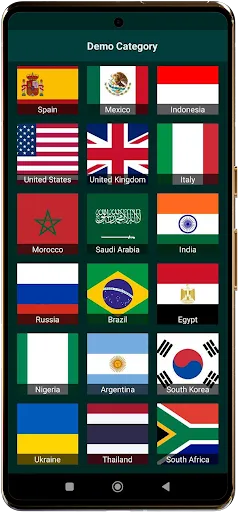
TV Garden World Video Player screenshot

TV.Garden: Seamless TV viewing with TV Garden, Watch TV Online from anywhere in the world. Whether you're interested in World TV, Global TV, or International TV, our app empowers you to use private TV stream links to access Online TV Channels. TV Garden is designed for those who want to enjoy their favorite Live TV Streams, Live News, Live Sports, and Entertainment Channels without hassle. From Music TV Channels to Documentary Channels, you can discover new TV channels and Watch Global & Local Live TV Online for Free using your own links. Explore TV from around the world, including USA TV live, UK TV online, Indian TV channels, Arabic TV live, European TV channels, and Asian TV live. ️


What the app does: TV Garden is a versatile video player app that does NOT host or stream TV content directly. Use your own HLS link to play your favorite channel, whether it's International News or Cultural TV. The app serves as an Open-source TV player, allowing you to watch foreign TV channels effortlessly. Discover new TV channels from around the globe by importing your own streaming links. Learn How to watch international TV with TV Garden and enjoy TV channels by country.


Key Features:

• 🎬 Broad Format Compatibility: Supports DASH, HLS, MP4, and direct streaming links for a wide range of Online TV Channels.

• ⚡ Smooth Playback: Experience lag-free video streaming for all your Live TV Streams and online content.

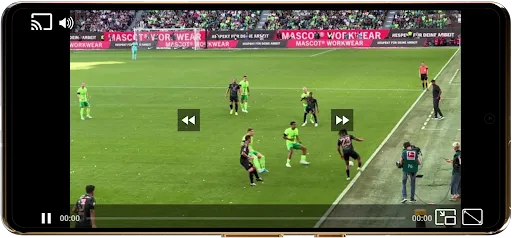
• 🖼️ Picture-in-Picture Mode (PIP): Multitask while watching your favorite channels in a small window.

• 🎚️ Customizable Controls: Tailor your viewing experience with adjustable scaling modes and playback settings.

• 📡 Stream & Cast: Enjoy seamless casting to any TV with Chromecast support for enhanced viewing.

• 🔊 Enhanced Audio Quality: Enjoy optimized sound for a truly immersive experience with Music TV Channels and more.

• 🌟 Favorites List: Save your favorite TV streams and movies for quick and easy access.

• 🖥️ Full-Screen Mode: Dive into full-screen viewing for an immersive TV experience.


How to use:

1️⃣ Open TV Garden and add your streaming links into your Favorites section for easy access to your preferred Global TV or Live Sports channels.


2️⃣ Tap any saved stream inside Favorites to start playback instantly, ensure your links are legitimate to watch TV from around the world.

3️⃣ Always ensure that the URLs you use are legal and respect licensing or broadcasting rights. Remember, TV Garden is a media player only, and you are responsible for the content you add.


Possible Use Cases:

- Enjoy your favorite international sports events by importing your own links to Live Sports streams.

- Stay updated with International News by adding links to news channels from various countries.

- Create a personalized list of Entertainment Channels using your own streaming links.

- Explore cultural programs by watching Cultural TV channels from other countries.

- Use TV Garden during work breaks to watch Live News or Music TV Channels for relaxation.

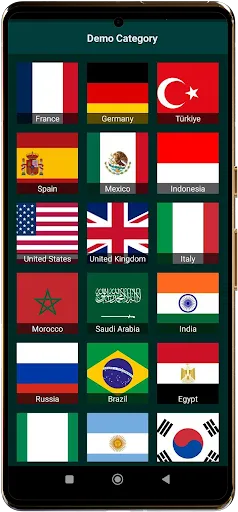
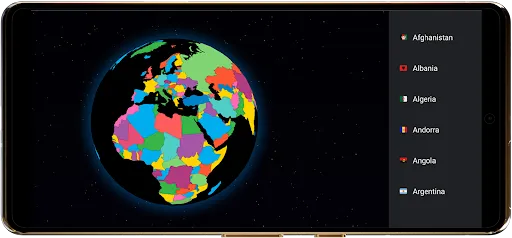
- Discover new TV channels by exploring different TV channels by country with your own links.

- Turn your device into a portable TV by watching World TV online with your collection of streams.


Disclaimer:

This app is a video player only and does not host or stream any content. Users must import their own legal links to watch TV. TV Garden does not provide a way to watch all football matches for free or access any specific content. Always ensure you have rights to view the content you stream. Example: Use your own stream link for USA TV live or UK TV online. The app focuses on providing a seamless player for your personal streams.

Frequently asked questions

If you're an Android user and don't download the app from the official Google Play Store, you may find the installation process more complicated than usual.

But we are delighted to inform you that you don't need to worry. To ensure you could install this app smoothly, we have written and uploaded a detailed tutorial. It would guide you on installing an app after downloading it from our website step by step, with the help of pictures.

You may find this helpful article on the downloading site, or visit How to install APK/XAPK files on Android.

If you need further help, please do not hesitate to contact us via email [email protected].

We fully understand your concern about safety. We agree that one person wouldn't be too careful in the cyber world. Meanwhile, we are happy to tell you that one of our priorities is to provide our users with safe app files that they can use without any worries.

We guarantee that all the app files we provided originate from official and reliable sources. We promise that they do not contain any malware that will harm your hardware or the safety of your privacy.

We are glad to let you know that the vast majority of apps on our website are available for free download. Only a small selection of apps require payment, and their prices are set solely by the respective developers—we simply provide an official and secure download platform.

Rest assured, whether an app is free or paid, every download link on our site is verified and completely safe. You can download with confidence, and no account registration is needed—just click the download button and you're all set!

Recently we received a lot of emails from our users, which said they couldn't log in for different reasons, such as "forgot the user name or password" or "had a new phone." We are willing to help you out. Please read the notes below to see what we can do.

To answer this question, please first let us know which account you're referring to.

If you're referring to your account of some app, like your Facebook account or your Youtube account. Unfortunately, we would not be able to help in this case. We would suggest you turn to the customer service of this application.

If you're referring to your Appurse account, we should apologize for your confusion since there is no Appurse account. We never require registration for our service, and you will not find any procedure related to creating an account or registering on our website.

This question is essentially quite similar to the prior one. It's a pity that we are unable to help you to cancel the subscription to a third-party application directly, while we would suggest you to contact its customer service for further information.

Sorry that we are unable to help you to get a refund from a third-party application directly. If you wish to get a refund from a third-party app, we would suggest you to contact its customer service. We would be happy to provide you the way to contact them.

If you want a refund from us, we should apologize for your confusion. Our service is 100% free, and any payment information is not required.

If you run into any site that asks you to provide your payment information, be careful. Remember never reveal your payment information to any unauthorized third parties, no matter how attempting their offer may seem.

Sorry that we cannot answer this question directly, for this only aims to answer some general questions. You may find how to use a certain app by checking our review page.